WordPress Security Check
Enter your WordPress site URL for a comprehensive passive security scan
Features
HTTP Security Headers
Check HSTS, CSP, X-Frame-Options and other critical security headers
Version Detection
Detect WordPress core, plugin and theme versions against latest releases
Vulnerability Scan
Multi-dimensional checks including XML-RPC, REST API, and sensitive file exposure
Visual Reports
Detailed security score reports with specific remediation suggestions and references
Security Blog

How to Recover a Hacked WordPress Site: Step-by-Step
Discovering that your WordPress website has been hacked can be an incredibly stressful experience. Whether your site is redirectin…
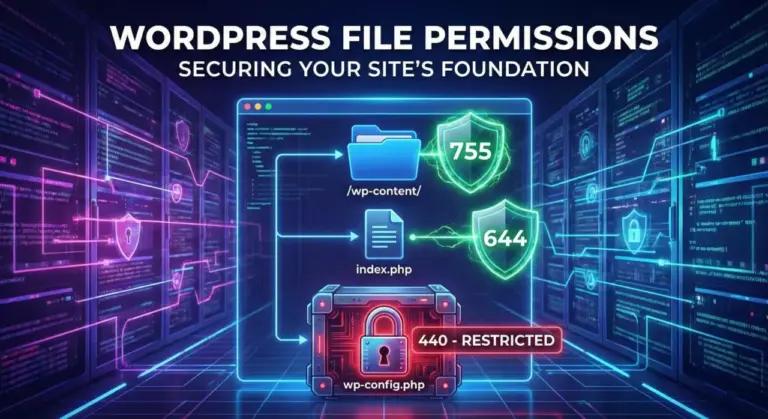
Understanding WordPress File Permissions: A Security Guide
When it comes to WordPress security, file permissions are often overlooked by beginners. However, configuring them correctly is on…

How to Set Up Two-Factor Authentication (2FA) on WordPress
Securing your WordPress website is more important than ever. Passwords alone are no longer enough to protect your site from brute-…

WordPress Security Checklist: The Complete Pre-Launch Guide
You've spent weeks (or months) designing your new WordPress site. The content is polished, the plugins are configured, and you are…

How to Choose a Secure WordPress Hosting Provider
There is a hard truth in WordPress security: You cannot fix a bad host with security plugins. If your web server is fundamentally…

The Ultimate WordPress Security Guide: How to Harden Your Site in 2026
WordPress powers over 43% of the entire internet. From personal blogs to Fortune 500 companies, it is the operating system of the…
How It Works
Enter URL
Enter the WordPress site URL you want to scan in the input field above
Auto Scan
The system will automatically run multiple passive security checks with real-time progress
View Report
Get a detailed security score report and follow the suggestions to fix issues